Servenzo feature page
Job scheduling software for crews, contracts and client sites
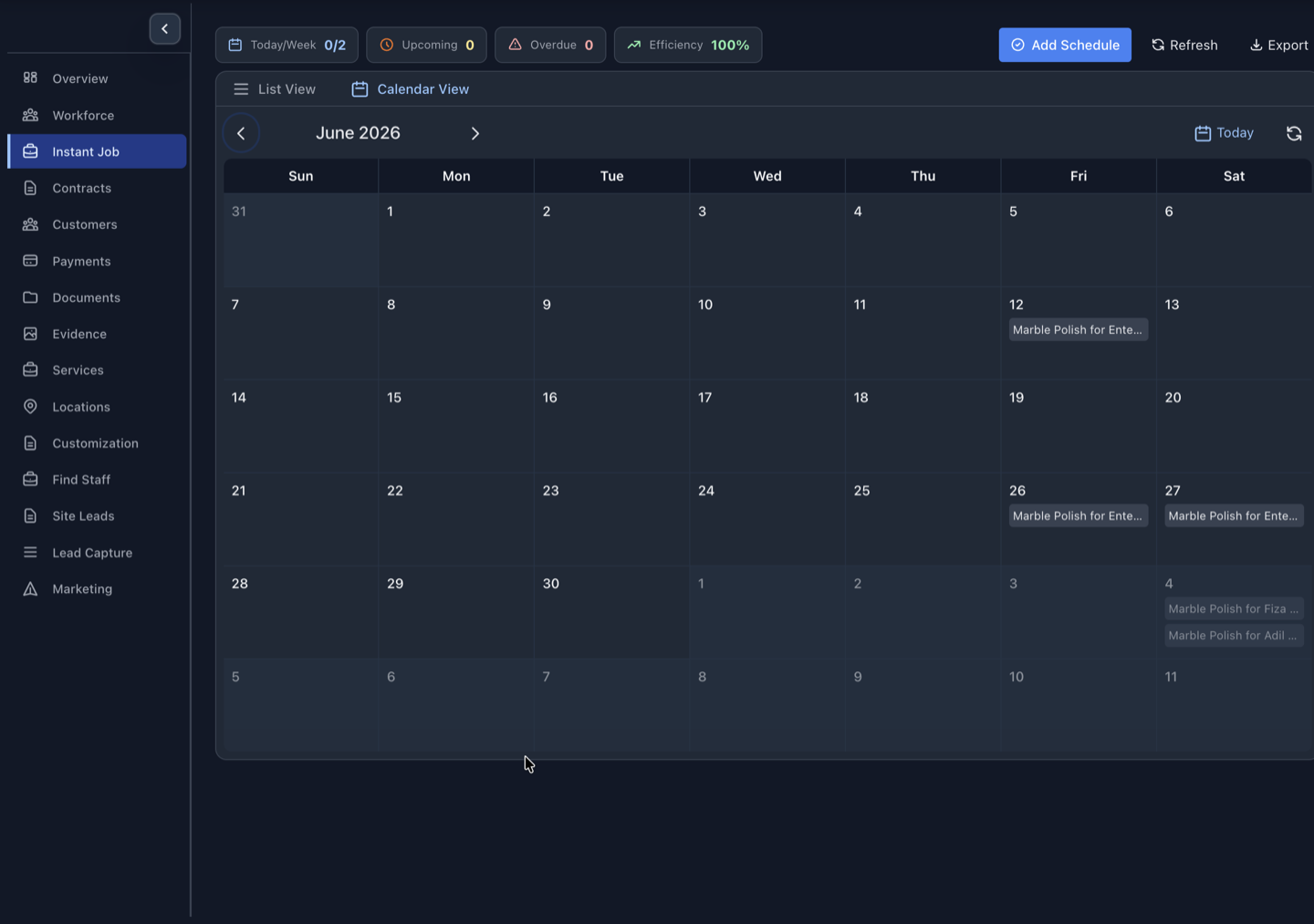
Plan one-time and recurring service work on a shared calendar, assign the right worker or vendor and handle same-day changes without rebuilding the job record.
The short answer
Service job scheduling software turns agreed work into dated assignments for available workers, crews or vendors. Servenzo connects the calendar to contracts, sites, staff availability, status updates, field evidence and invoices.
What this workflow should improve
- See contract work on a monthly calendar
- Check availability before assignment
- Identify underfilled or unassigned coverage
- Keep notifications and status tied to the job
Start with required coverage
A useful service schedule shows not only which jobs exist but whether each shift has the people needed to deliver it. Servenzo highlights assigned, underfilled and unassigned work so coordinators can focus on exceptions.
Keep the schedule connected to the contract
Recurring work usually exists because a contract requires service at a particular site and cadence. Servenzo retains that link, which helps teams understand scope, staffing and commercial context during a change.
A practical workflow
- Create the job or recurring contract schedule.
- Confirm site, time, required staffing and service scope.
- Assign available workers, crews or vendors.
- Monitor changes and completion from the same schedule.
Scope: what this does not cover
Servenzo supports availability-aware scheduling and assignment. It is not described as automated turn-by-turn route optimization or continuous vehicle tracking.
Questions about job scheduling software
Can Servenzo schedule recurring jobs?
Yes. Recurring patterns can be created for contracted work across customer locations.
Can I reassign a worker for one day?
Yes. Day and shift-level assignment changes can be made without rewriting the whole base contract schedule.
Does scheduling notify field staff?
Operational notifications can be sent through the Android app, WhatsApp and email depending on the workflow.